
Recent News
When EDI Does the Paperwork: Cutting Manual Order Entry for Ops Teams
Introduction
EDI is supposed to reduce manual paperwork.
A retail partner sends a purchase order electronically. Your system receives it, the order is fulfilled and delivered, and then acknowledgments and invoices are sent back the same way.
That’s how it’s supposed to work.
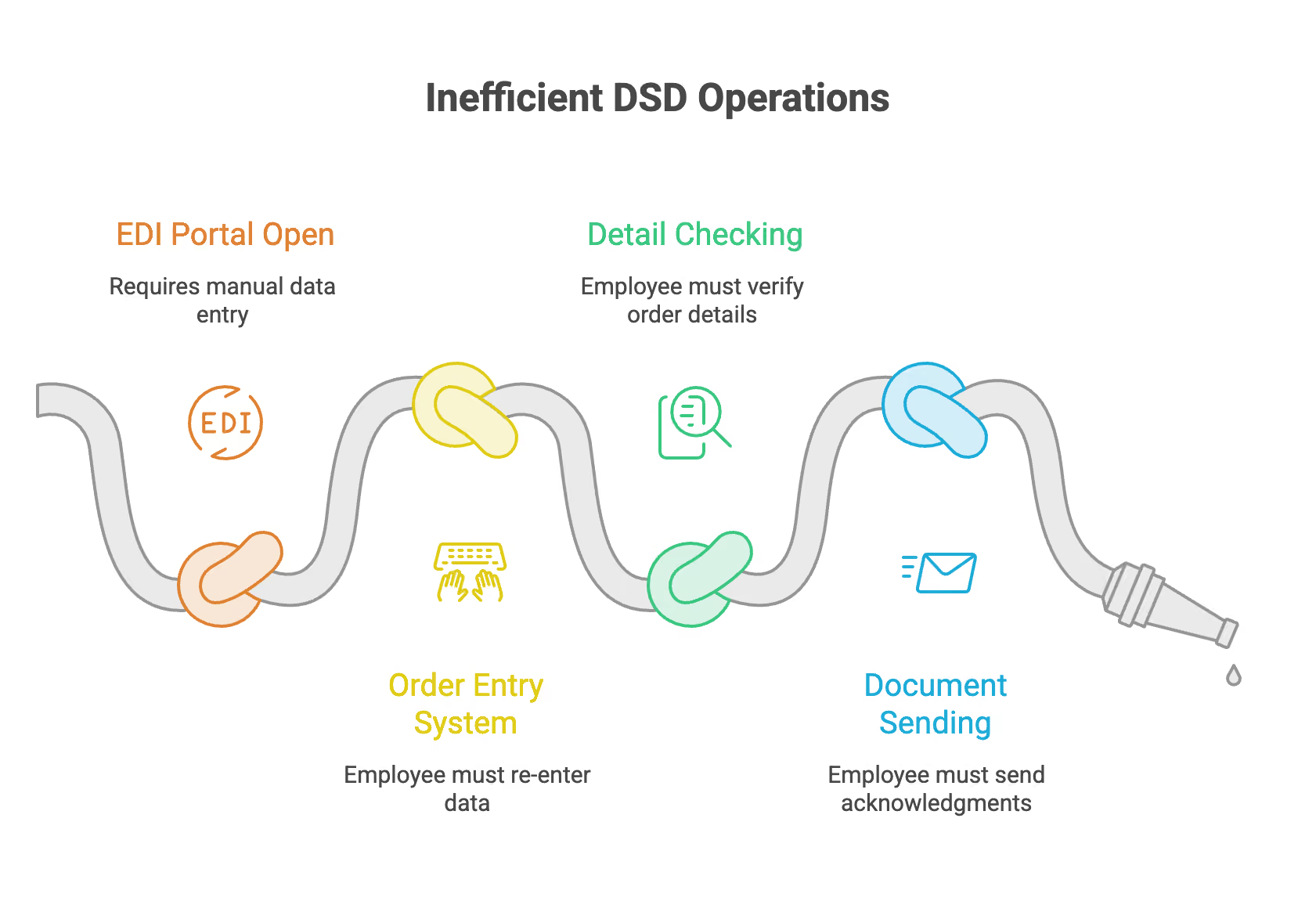
But in many DSD operations, someone still starts the day with an EDI portal open on one screen and the order-entry system on another. Even if the purchase order arrives electronically, an employee has to read it, enter the order, verify the details, and ensure the correct documents are sent back to the customer.
The problem isn’t always EDI itself. Often, it’s the gap between the EDI system and the route accounting system where the real work happens.
When those systems aren’t connected, EDI might eliminate the paper, but not much of the manual work.
Integrated EDI bridges that gap. Instead of just sending electronic documents, it lets purchase orders, acknowledgments, shipment details, and invoices move directly through the system your team already uses.
This means less manual entry, fewer chances for mistakes, and more time for your team to focus on exceptions and customer issues that really need their attention.
If EDI Is Automated, Why Does It Still Feel Manual?
The answer is usually simple: some steps are still done by hand.
Many distributors have EDI systems that successfully send, receive, and translate electronic documents. For example, a retailer sends a purchase order, which arrives via a VAN, an EDI portal, or another service.
EDI has done its part by exchanging the document.
But what happens next is just as important.
If the incoming purchase order isn’t connected to your route accounting or order-entry system, someone still has to move that information over. The document came in electronically, but the order wasn’t created automatically.
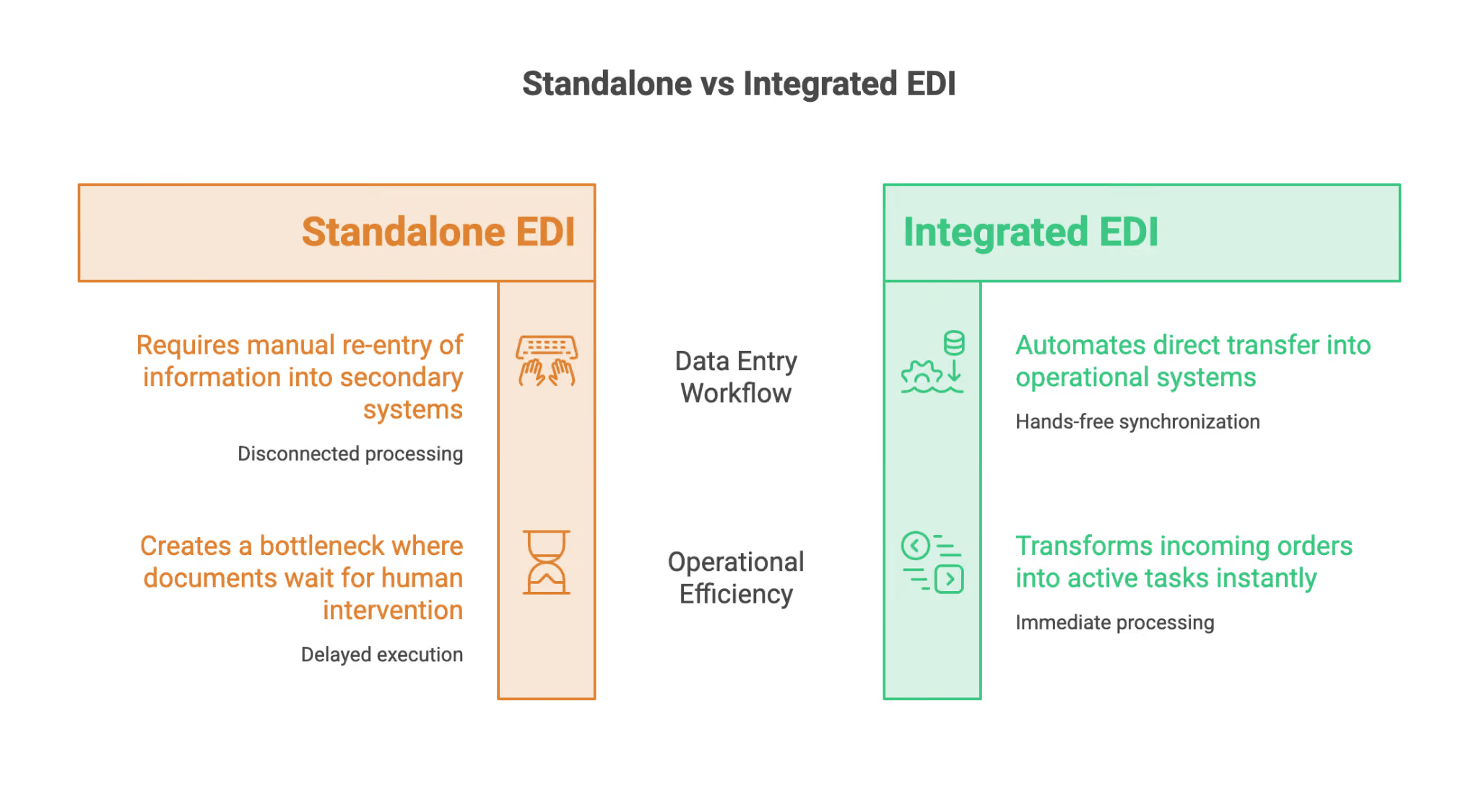
That’s the real difference between standalone EDI and integrated EDI:
- Standalone EDI handles the electronic exchange of documents, but the information might still need to be entered into another system before anything can happen.
- Integrated EDI links the electronic exchange directly to your operational system. An incoming purchase order can turn into an order without anyone having to reenter it.
Both are called “EDI,” but they create very different workflows for your operations team.
If you need a refresher on the basics, like common EDI documents, VANs, and direct connections, check out our earlier article on EDI in DSD distribution. Here, we’re focusing on what happens after those documents arrive.
Where the Manual Work Actually Hides
Manual order entry is the most obvious part of a disconnected EDI process, but it’s rarely the only one.
Take an 850 purchase order that comes in overnight. If the EDI platform and order-entry system aren’t connected, an employee might have to open the purchase order and manually create the matching order.
After that, more work can pile up:
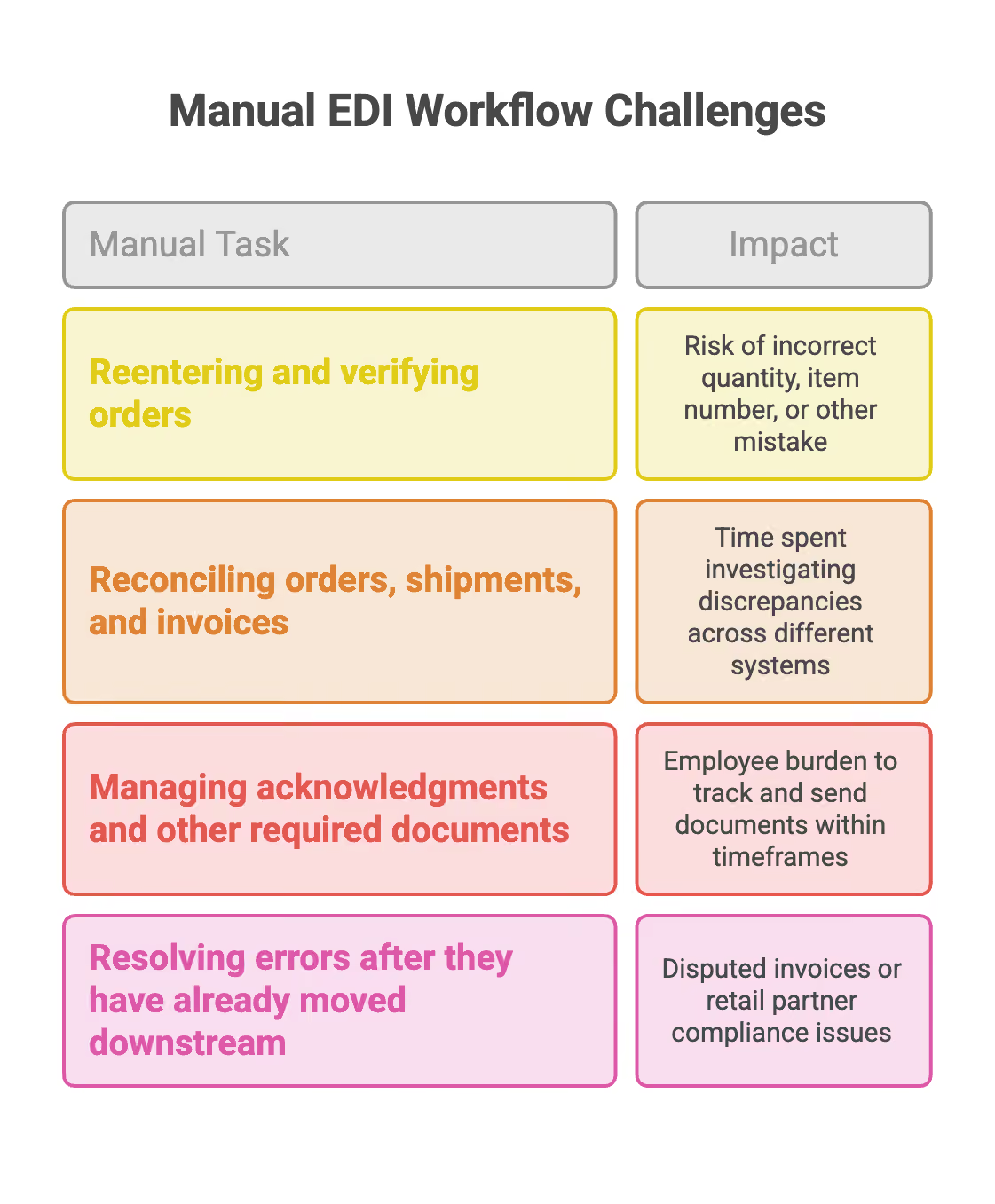
Reentering and verifying orders
Every line entered by hand is another opportunity for an incorrect quantity, item number, or other mistake. Even if the information is entered correctly, someone still has to spend time checking it before the order can move forward.
Reconciling orders, shipments, and invoices
Once the delivery is complete, all the documents for the transaction need to match. If the purchase order, shipping info, and invoice are in different systems, employees might have to compare them manually and investigate any discrepancies.
Managing acknowledgments and other required documents
Retail partners often expect specific EDI documents within defined timeframes. Depending on the trading relationship, this can include order acknowledgments, advance ship notices, invoices, and other transactions. In a disconnected workflow, creating or sending these documents becomes another thing an employee has to keep track of.
Resolving errors after they have already moved downstream
A mistake made during order entry might not be obvious right away. It might show up later if the shipment doesn’t match the purchase order, the invoice is disputed, or a retail partner finds a compliance issue.
Another important issue is scale. A manual workaround might seem fine when order volume is low. But as a distributor adds accounts, grows retail relationships, or hits a busy season, every new order adds more admin work. That’s the opposite of what automation is meant to do.
What Integrated EDI Changes
Integrated EDI takes away much of the back-and-forth between electronic documents and daily operations.
Instead of an incoming purchase order getting stuck in a separate EDI system, the information can flow straight into the route accounting platform.
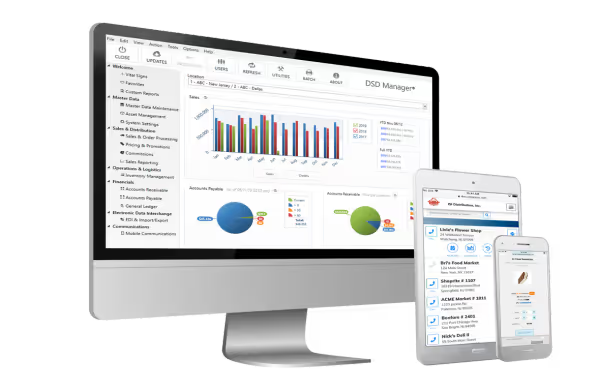
With DSD Manager, for example, EDI is built into the main system used to manage orders and distribution.
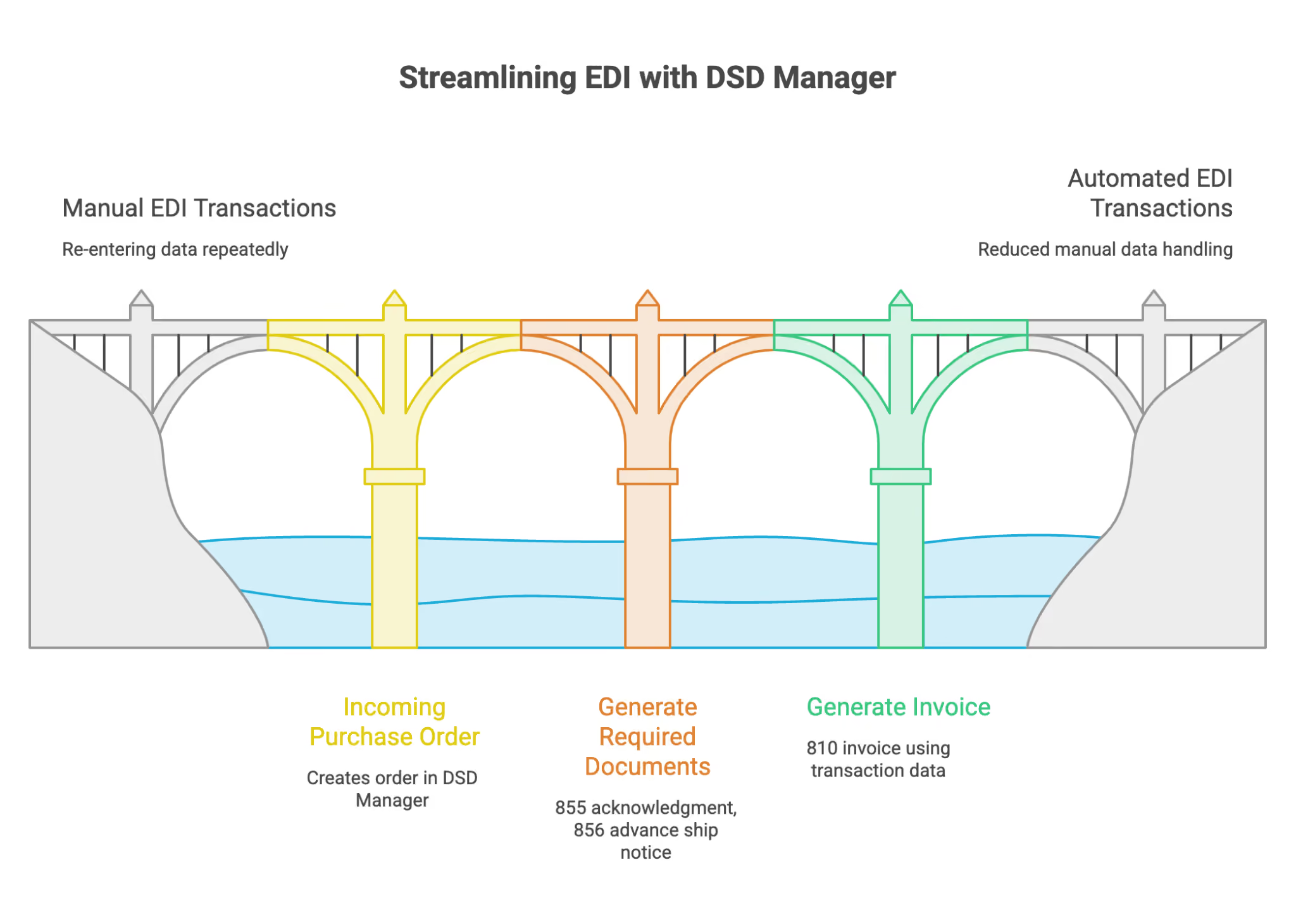
Here’s how a typical transaction might look:
- An incoming 850 purchase order creates the corresponding order in DSD Manager.
- Required documents such as the 855 order acknowledgment and 856 advance ship notice can be generated from information already in the system.
- After delivery, the 810 invoice can be generated using the same transaction data.
The key isn’t just that the documents are electronic. It’s that they’re tied to the actual operational transaction.
The purchase order doesn’t need to be re-entered manually before fulfillment begins. The acknowledgment doesn’t rely on someone remembering to copy information that’s already there. And the invoice doesn’t have to be rebuilt from a separate record after delivery.
This reduces the number of times employees have to handle the same transaction.
It also means there are fewer chances for inconsistent information to slip in. When order, shipment, and invoice data stay connected throughout the workflow, there are fewer manual handoffs where mistakes can happen.
For operations teams, this can mean fewer exceptions to investigate, fewer compliance issues to resolve, and less time spent managing the EDI process.
From Processing Every Order to Managing the Exceptions
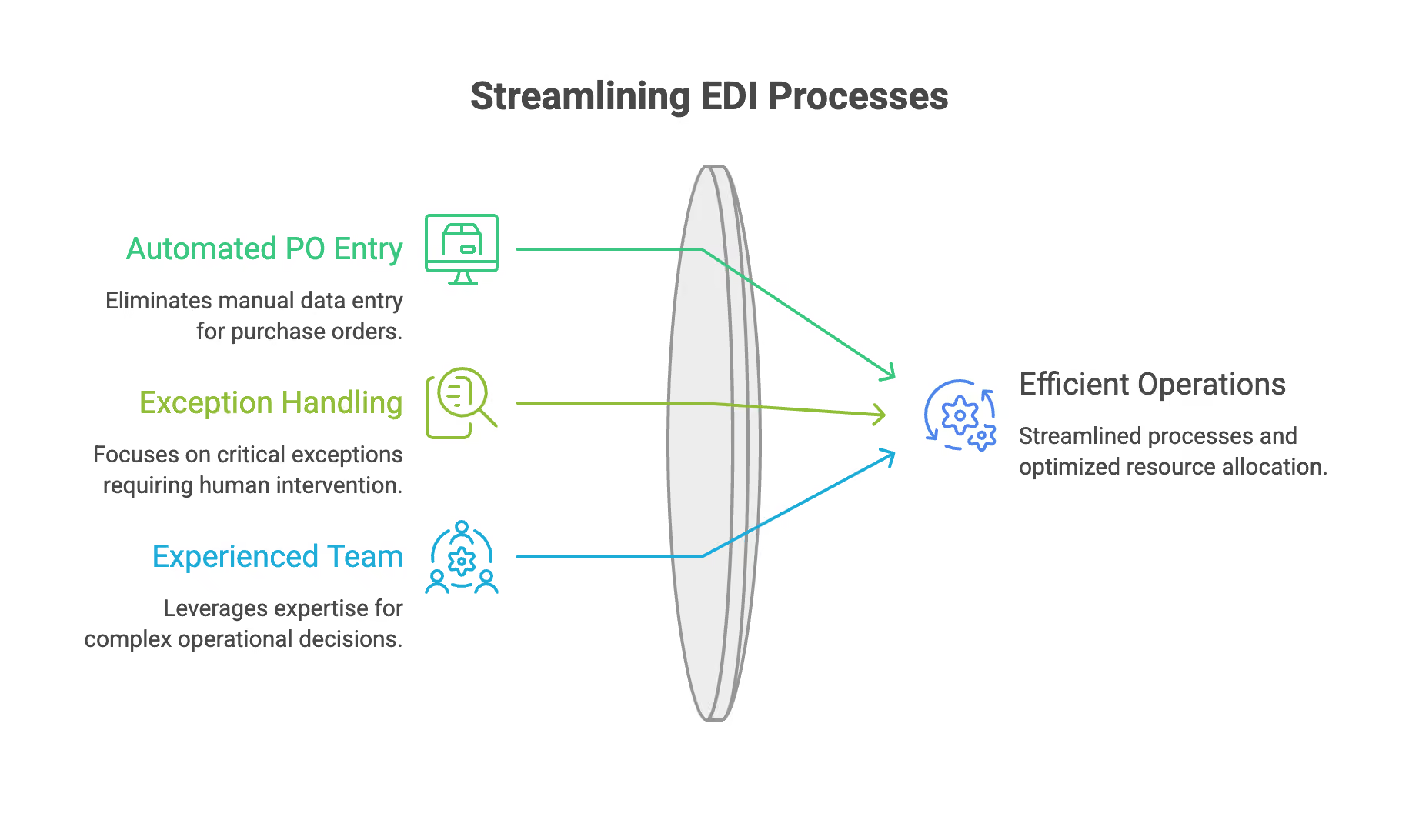
The goal of automation isn’t to take people out of the operation. It’s to free up their time from work that the system can handle on its own.
In a manual EDI workflow, employees spend time handling routine transactions even when nothing out of the ordinary has happened.
Integrated EDI changes that.
Instead of entering every purchase order by hand, employees can focus on the orders that really need attention:
- an unusual quantity,
- an item that cannot be fulfilled,
- an account with special requirements,
- a document that failed validation,
- or another exception that requires judgment.
That’s a better use of an experienced operations team.
It also makes it easier to handle growth. Adding another retail account still means more transactions, but it doesn’t always mean more manual data entry.
Your team can handle more routine transactions without the admin workload growing at the same pace.
Better Data Without the Entry Lag
Integrated EDI can also help you get operational information faster.
When employees have to move information between systems by hand, there’s always a delay between a transaction occurring and it being recorded where managers can use it.
That delay might be just minutes or hours, but it can still affect visibility.
When EDI transactions go straight into the operational system, managers get a more up-to-date view of what’s happening. Orders are recorded as soon as they arrive, not just when someone has time to enter them.
This gives operations, inventory, and management teams a better foundation for reviewing activity and making decisions.
It also helps avoid a common question that comes up with manual systems:
Is the information up to date, or is someone still entering it?
More Capacity for the Work That Actually Requires People
Cutting down on manual EDI work does more than just save keystrokes. It frees up capacity.
An employee who isn’t spending the morning reentering purchase orders can use that time to solve delivery issues, review exceptions, support customers, or spot problems before they get bigger.
Managers can spend less time checking if information has been entered and more time actually using it. And as your operation grows, more transactions don’t automatically mean more clerical work.
That’s where integrated EDI really proves its value. It makes electronic document exchange part of the normal business flow, not just a separate admin process.
Conclusion
EDI should do more than just swap paper for electronic files. It should reduce the work required to move an order from your retail partner into your operation and back.
If employees are still reading purchase orders from one system and typing them into another, the electronic exchange might work, but the process isn’t fully integrated.
Connecting EDI directly to your route accounting system changes that. Incoming orders can enter the workflow without needing to be reentered. Required documents can be created from information already in the system. Routine transactions can move forward without someone having to manage every step by hand.
The result is fewer manual steps, fewer chances for errors, and more time for your team to focus on customers and exceptions that really need their expertise.
DSD Manager brings EDI into the same system you use to manage your whole distribution operation. If manual order entry is still taking up valuable time for your team, schedule a demo to see how integrated EDI can make things easier.
Streamline Your DSD


All Rights Reserved.